New Instagram Storytelling Tool - Multiple Captions
Instagram Just Gave Us a New Storytelling Tool. Here's How Travel Advisors Should Use It
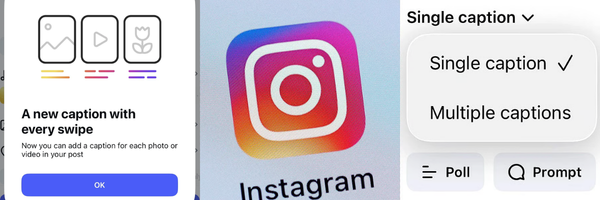
If you've posted a carousel on Instagram recently, you might have noticed a new toggle sitting quietly in the creation flow: "Multiple Captions." It's easy to scroll right past it. But if you're a travel advisor trying to turn followers into inquiries, this update that seems small can actually be a big deal to tell a story to potential clients.
Here's what it does, and more importantly, here's how to use it strategically instead of guessing because it’s new.
What "Multiple Captions" Actually Is
Up until now, every carousel post you shared had one caption for the entire set of slides. Now, Instagram lets you write a different caption for each individual slide. As someone swipes through your post, the caption changes right along with the photo.
It sounds small. But it changes the entire rhythm of how someone experiences your content, and rhythm captures a clients attention to swipe instead of scroll.
The Strategic Question to Ask Before You Use It
Before you turn that toggle on, ask yourself one question: is this post meant to teach something, or is it meant to make someone feel something?
That answer decides whether to use the multiple captions feature or not.
If the Post Is Educational: Keep the Lesson ON the Slide
If you're teaching your audience something: how to choose between an all-inclusive and a private villa, what to actually ask before booking a cruise, why working with an advisor costs them nothing, that information needs to live directly on the slide as on-screen text.
Why? Because your ideal client should be able to screenshot slide 3, save it, and have the complete point without needing to remember or scroll back to a caption. People save educational content to come back to later. If the lesson is buried in a caption instead of on the image, you lose that save, and you lose the value your content was supposed to deliver in the first place.
For educational carousels, multiple captions become the bonus, not the lesson. Use them to add:
- Behind-the-scenes commentary on why you're teaching this
- A bit of personality or humor between the teaching points
- Extra context that makes a client feel like they're getting something a little more personal, not just information
Text-on-slide teaches. Caption-per-slide builds connection on top of it.
If the Post Is a Feeling: Let the Captions Carry the Story
Now flip it. Think about your FAM trip recaps, a "day in the life of your travel business," or a photo dump from a destination you want to be known for. These posts aren't trying to teach, they're trying to make someone feel like they want to be there, and want you to be the one who gets them there.
For posts like this, skip the heavy on-screen text entirely. Let the photos breathe while the caption tells the story, almost like you’re narrating to a friend to make it feel more real and personal.
- Slide 1: "6am, and the boat is already waiting for us."
- Slide 2: "This is the view I didn't know I needed."
- Slide 3: "This is also the moment I realized why my clients keep asking me to plan this exact trip."
This is where multiple captions stop being a feature and start being the content itself. It's what turns a pretty photo dump into a story someone remembers, and a story is what makes a potential client picture themselves on the trip and to reach out to work with you.
The Takeaway:
Text-on-slide = the lesson. Caption-per-slide = the feeling.
You don't have to choose one style forever. The best content calendars use both: educational carousels that build your authority and trust, and story-driven carousels that build connection and desire. Multiple captions just gave you a sharper tool to do both, more intentionally, on the exact same platform your ideal clients are already scrolling.
The goal was never to just "post more." It's to post with a purpose behind every slide, because every swipe is a chance to either teach something valuable or make someone feel like they can't imagine planning their next trip without you.
Never Miss an Update Again!
Social media platforms are going to keep changing, but navigating the updates shouldn't feel like a full-time job. When you understand the strategy behind the features, you can stop guessing the algorithm and start turning casual scrollers into loyal, paying clients.
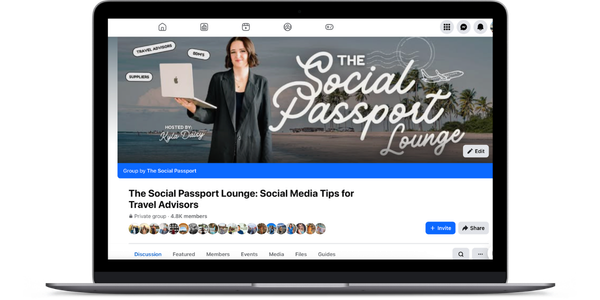
For those who want to be the first to know when a new feature drops, our free Facebook group is built for travel advisors who are ready to show up with confidence, master the latest tools, and scale their businesses online.
Join Our Free Facebook Group for Real-Time Updates: The Social Passport Lounge
Stay connected with news and updates!
Join our mailing list to receive the latest news and updates from our team.
Don't worry, your information will not be shared.
We hate SPAM. We will never sell your information, for any reason.